Redtail platform + mobile apps
See every journey. Understand every signal.
See where vehicles are, understand how they are being driven, and act on alerts, maintenance and fleet performance from one connected platform.
Redtail fleet portal
Journey visibility
Current and historical context
Email · SMS · Push
Configurable alert channels
Fleet reporting
Trips, driving events and mileage
Web · iOS · Android
Portal and field access
Inside Redtail
Everything you need to keep vehicles moving
Live GPS, driver monitoring, reports and alerts bring vehicle intelligence into one Redtail platform. Explore the capabilities that support your fleet's everyday work.
Fleet visibility + journeys
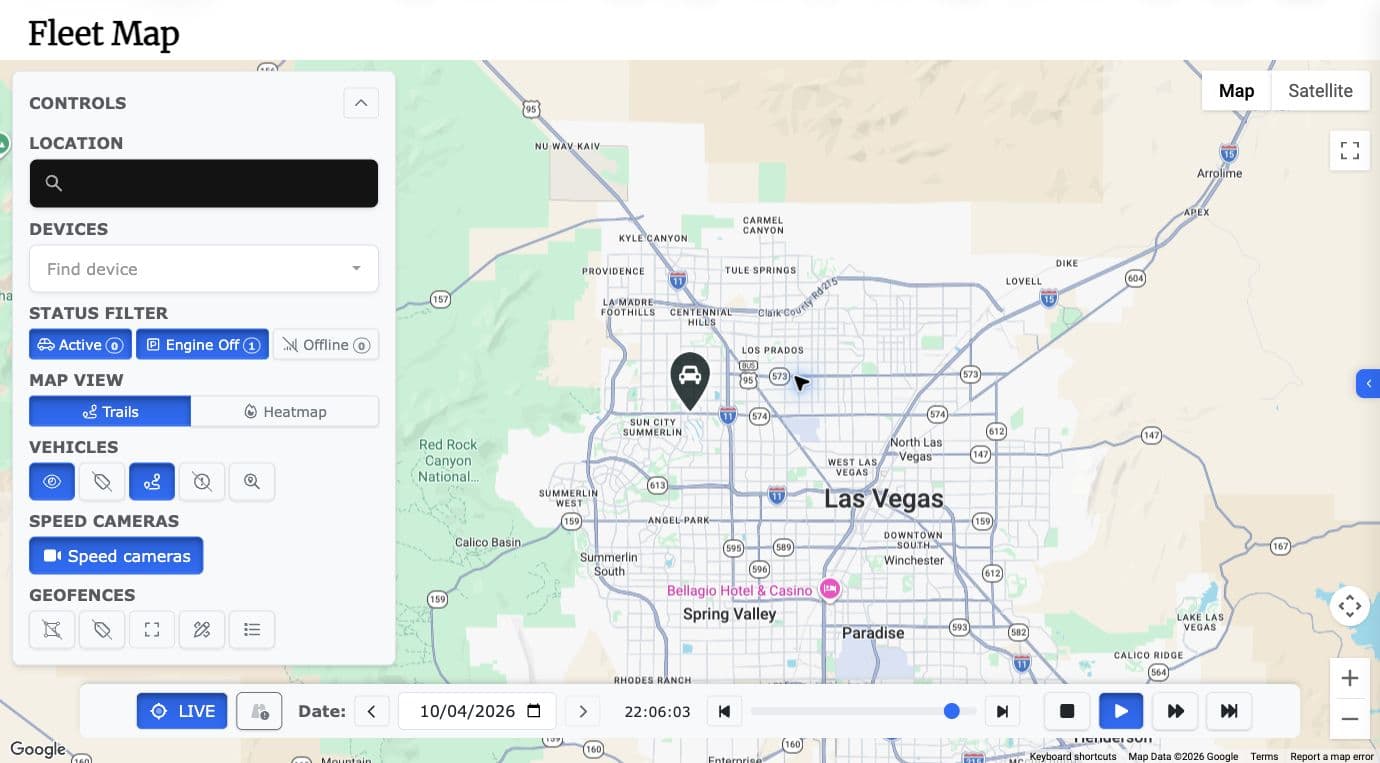
Know where vehicles are—and what happened along the way
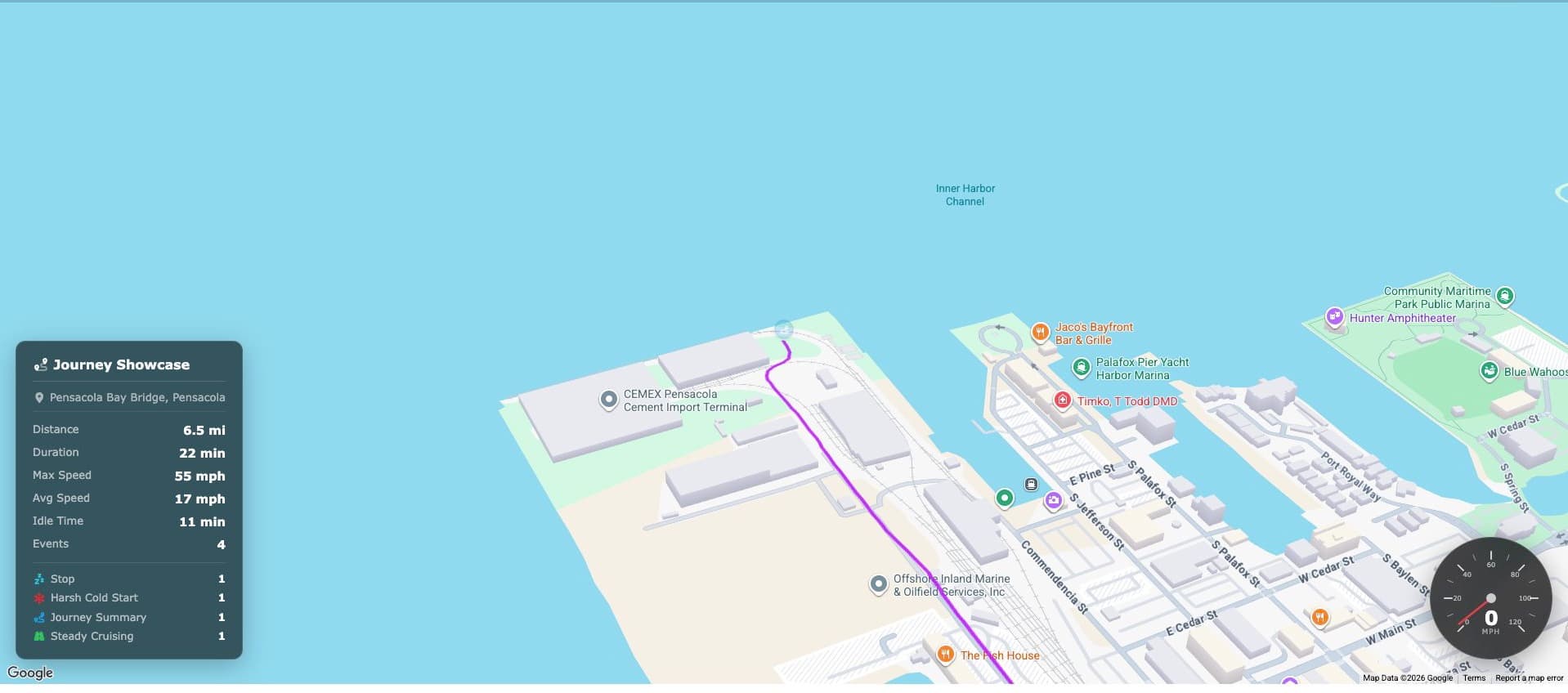
View vehicle positions and activity, then replay past journeys to understand speed, stops and driving events. Use that journey history when preparing upcoming trips.
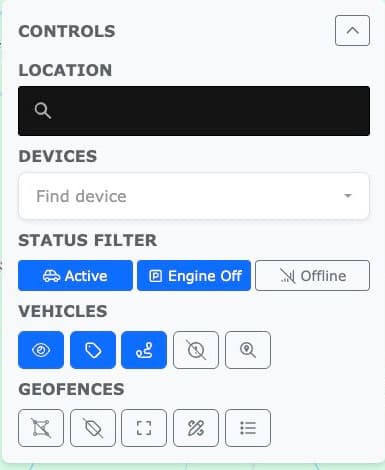
Fleet status
Find vehicles and filter active, engine-off or offline states.
Journey replay
Review route, distance, duration, speed, stops and idle time.
Trip preparation
Use previous journeys as a reference for upcoming trips.
Remote-disable options. Discuss availability and operating safeguards with Redtail for your proposed deployment. Vehicle compatibility and deployment testing must be confirmed before use.
Driving behaviour
See the patterns behind driving events
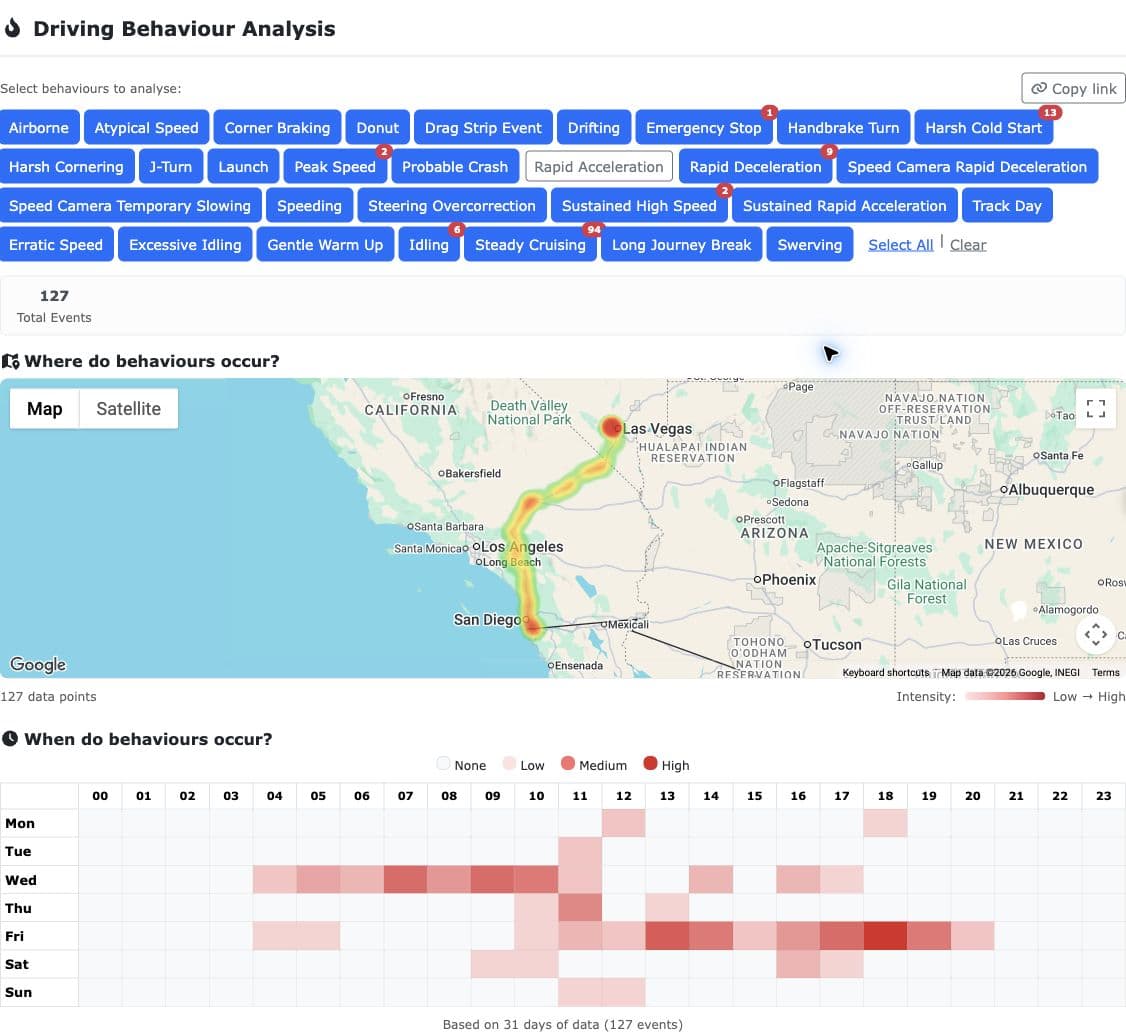
Understand how vehicles are driven so you can support driver coaching, improve efficiency and review risk. See where driving events happen and how patterns change over time.
Choose the signal
Filter the behaviour types that matter to the review.
Locate the pattern
See where selected events concentrate.
Understand timing
Compare activity by day and hour.
Alerts + notifications
Turn fleet signals into the right next action
Choose what deserves attention, organise alert interests around the job to be done, then decide who is notified and how.
Organised interests
Group alerts around fleet needs.
Delivery controls
Configure email, SMS or push notifications.
History
Return to alert history and filter events.

Maintenance
Keep maintenance part of everyday fleet management
Keep vehicle maintenance visible alongside everyday fleet activity. Help your team plan servicing and keep vehicles ready for work.
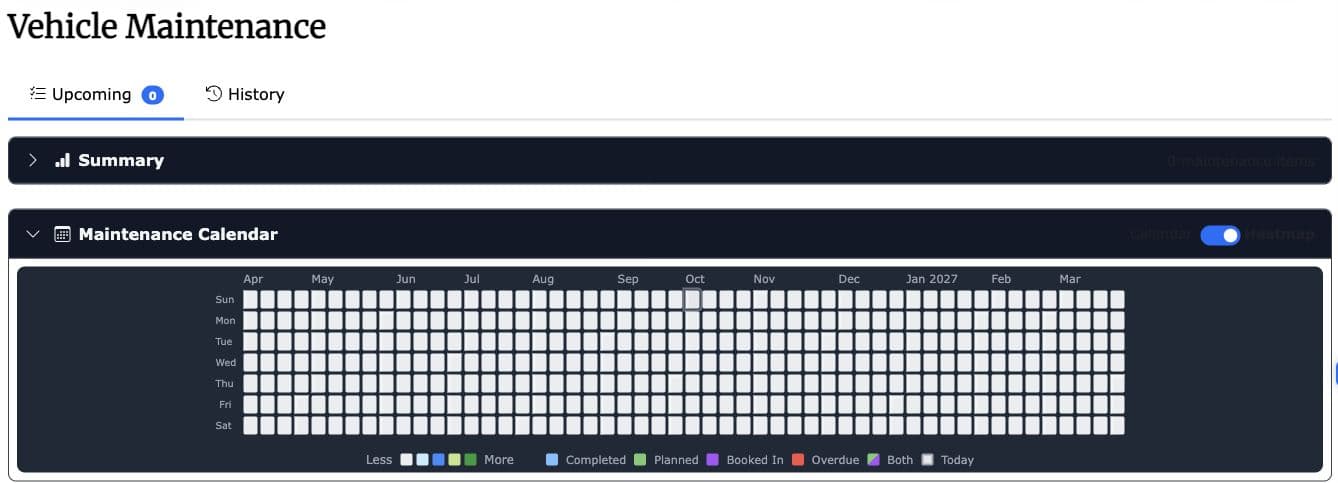
Vehicle maintenance
Keep routine servicing in view.
Fleet readiness
Coordinate maintenance with vehicle availability.
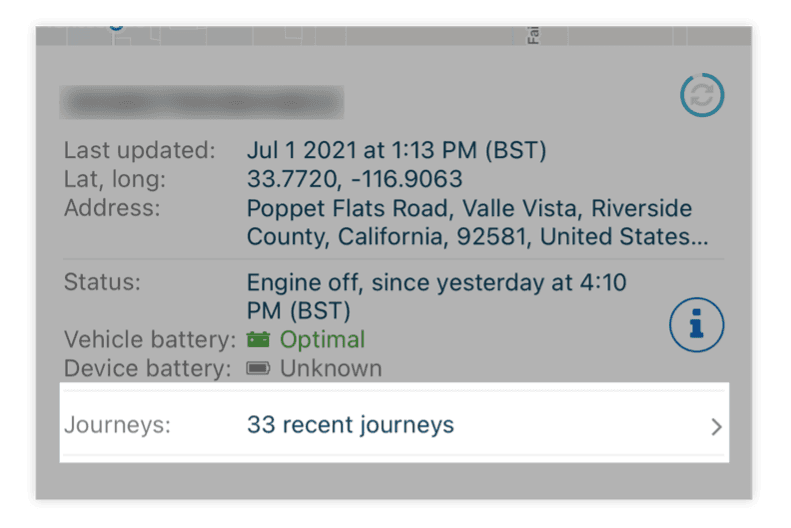
Battery status
Review vehicle and device battery status alongside fleet activity.
Reporting + mileage
Reporting that reflects how your fleet operates
Use trip history, driving events and alert summaries to review fleet performance. Odometer and journey records help your team organise business mileage and support tax recordkeeping.
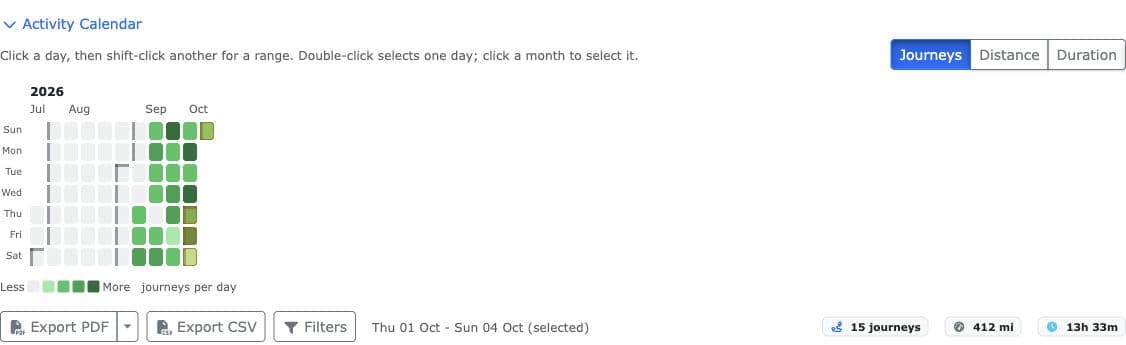
Trip history
Review journeys, distance and vehicle use.
Driving and alerts
Review speed, braking, acceleration and recorded events.
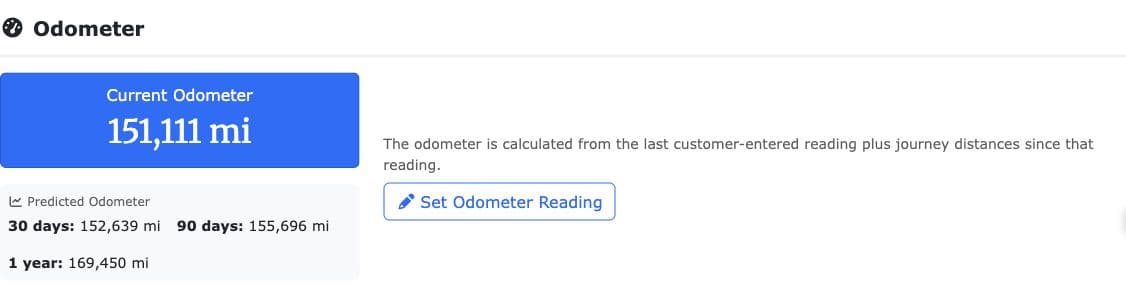
Odometer records
Keep mileage information for business reporting and tax records.
Hours of Service
Journey timing and vehicle-use records add context to Hours of Service reviews. Discuss the driver records, reporting and integrations required for your operation with Redtail.
Discuss HOS requirementsTax Benefit — Section 179
U.S. businesses may be able to deduct qualifying purchased GPS or telematics hardware under Section 179 in the year it is placed in service. Business-use rules and applicable limits apply; ask your tax adviser to confirm eligibility.
Read IRS Section 179 guidanceLocation intelligence
Understand location in context
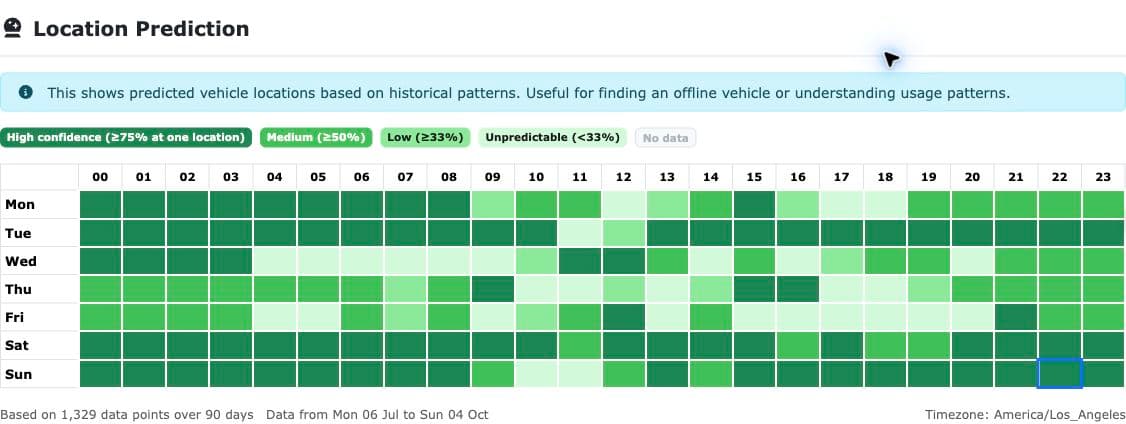
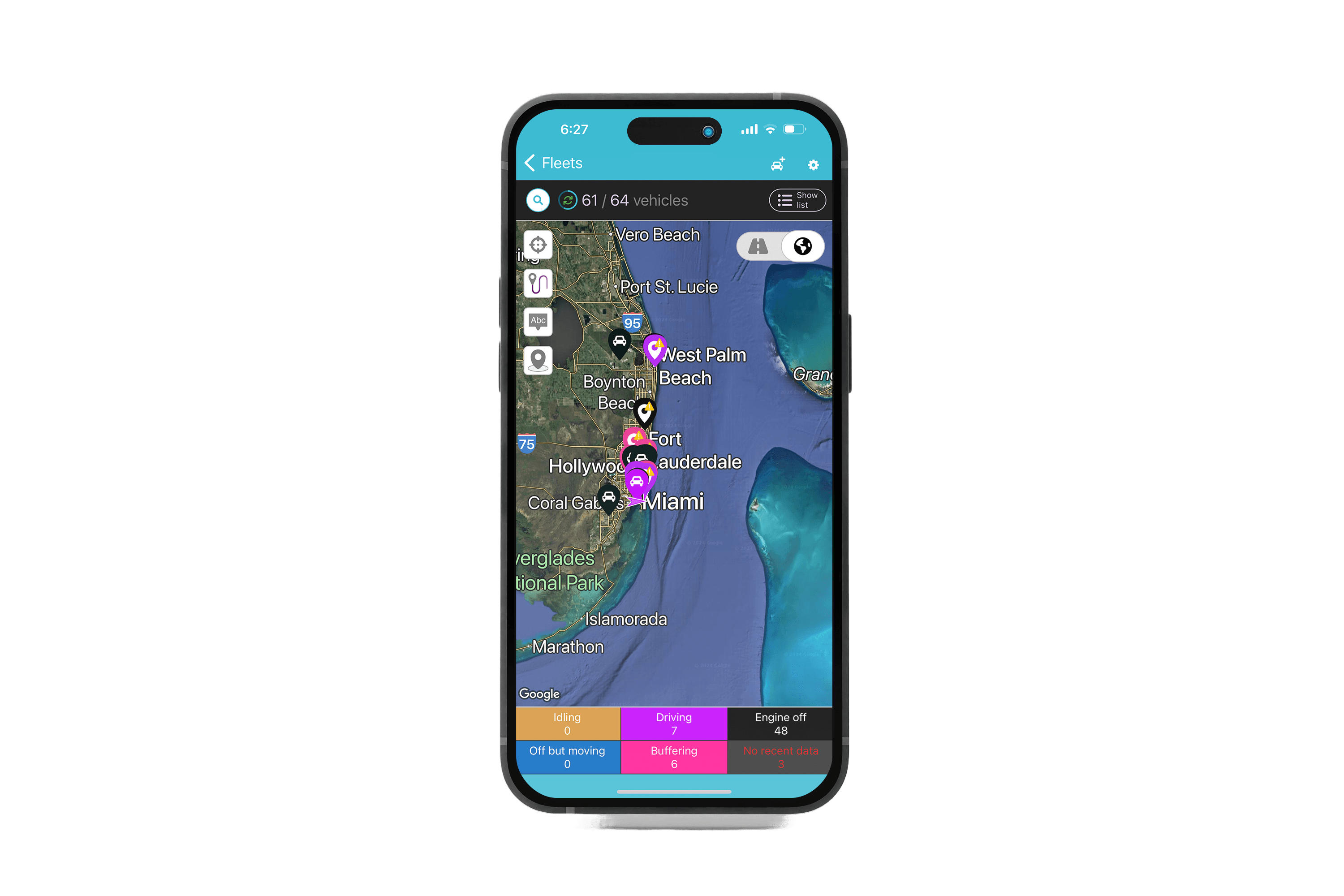
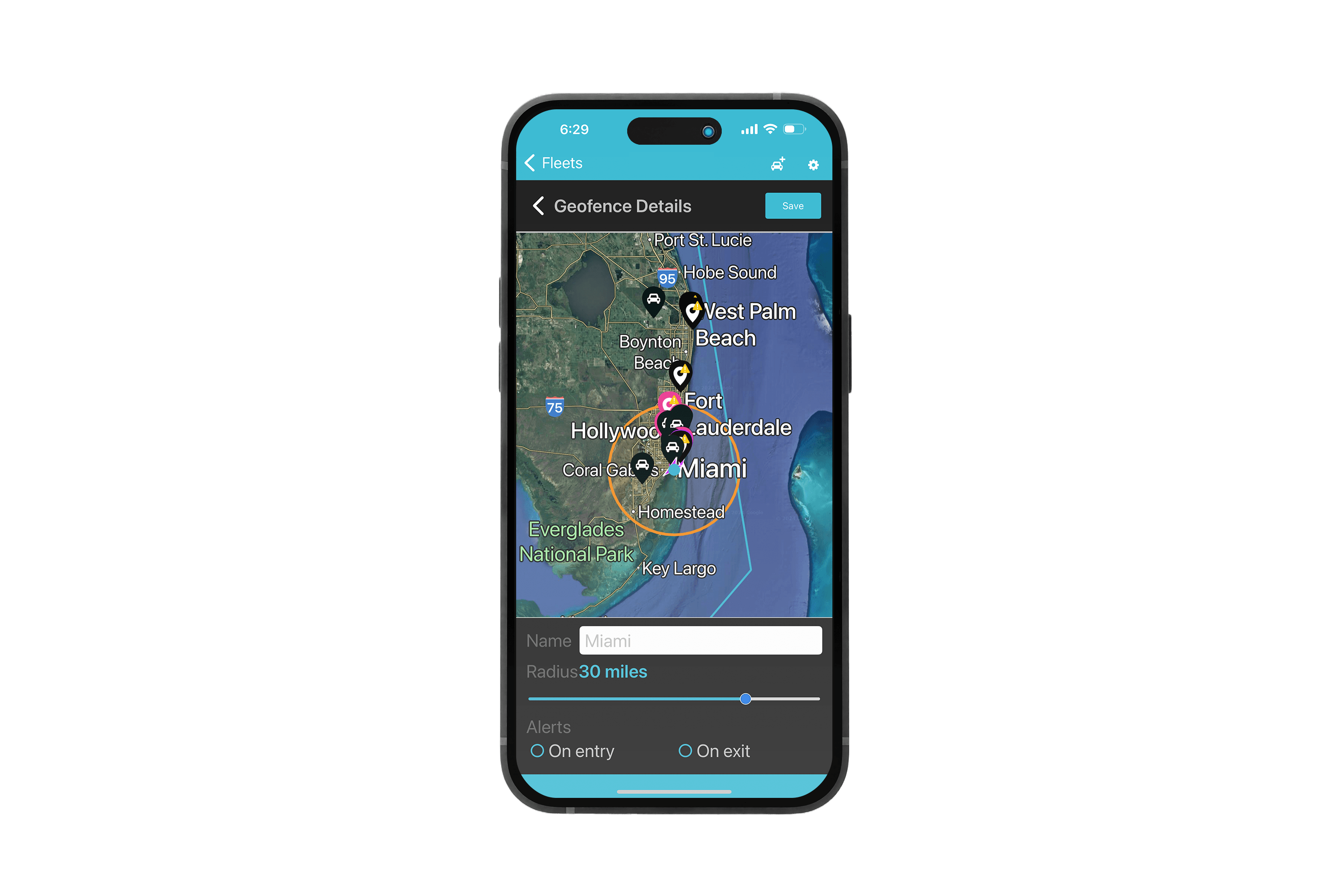
Use reported and predicted positions to review vehicle location, then explore the journeys and driving events associated with that place. Map views add context when your team reviews activity or prepares an upcoming trip.
Predicted location
Distinguish reported positions from predicted positions during a location review.
Satellite view
Use an aerial view to understand where vehicles and assets are.
Map overlays
Add geographic context to vehicle movement and geofence reviews.
Specialist capability
Move from circuit history into lap replay
For performance and circuit workflows, Redtail provides a dedicated venue and session workspace without mixing specialist analysis into everyday fleet operations.
Venue directory
Review sessions, vehicles, laps, layouts and activity.
Lap replay
Open a circuit map and replay a session.
Comparison
Choose laps for corner-by-corner review.
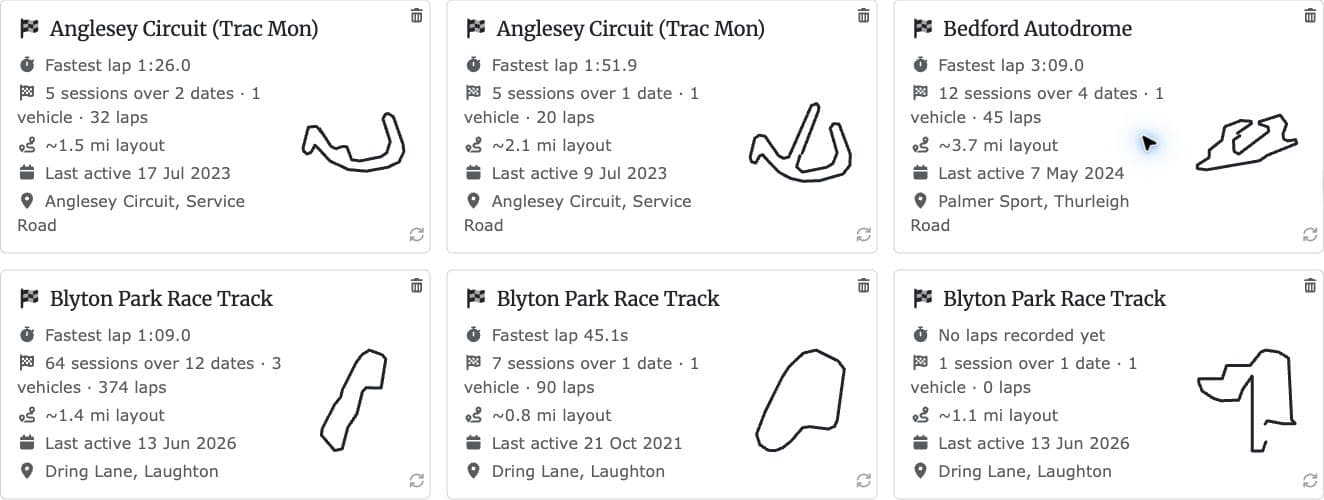
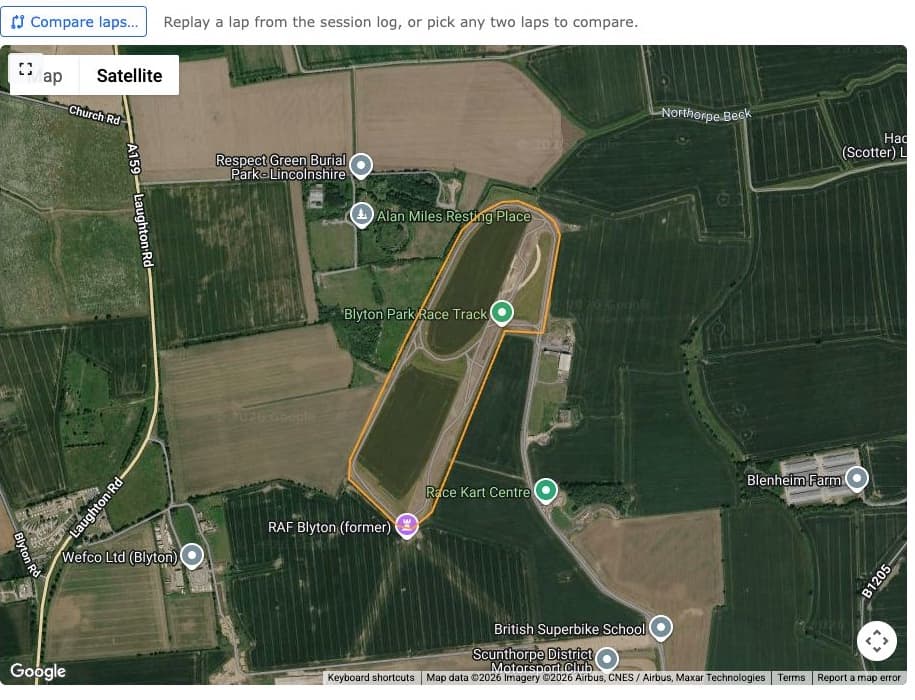
Circuit lap times shown by the portal are GPS-derived and approximate.
Mobile apps
Take the right Redtail view into the field
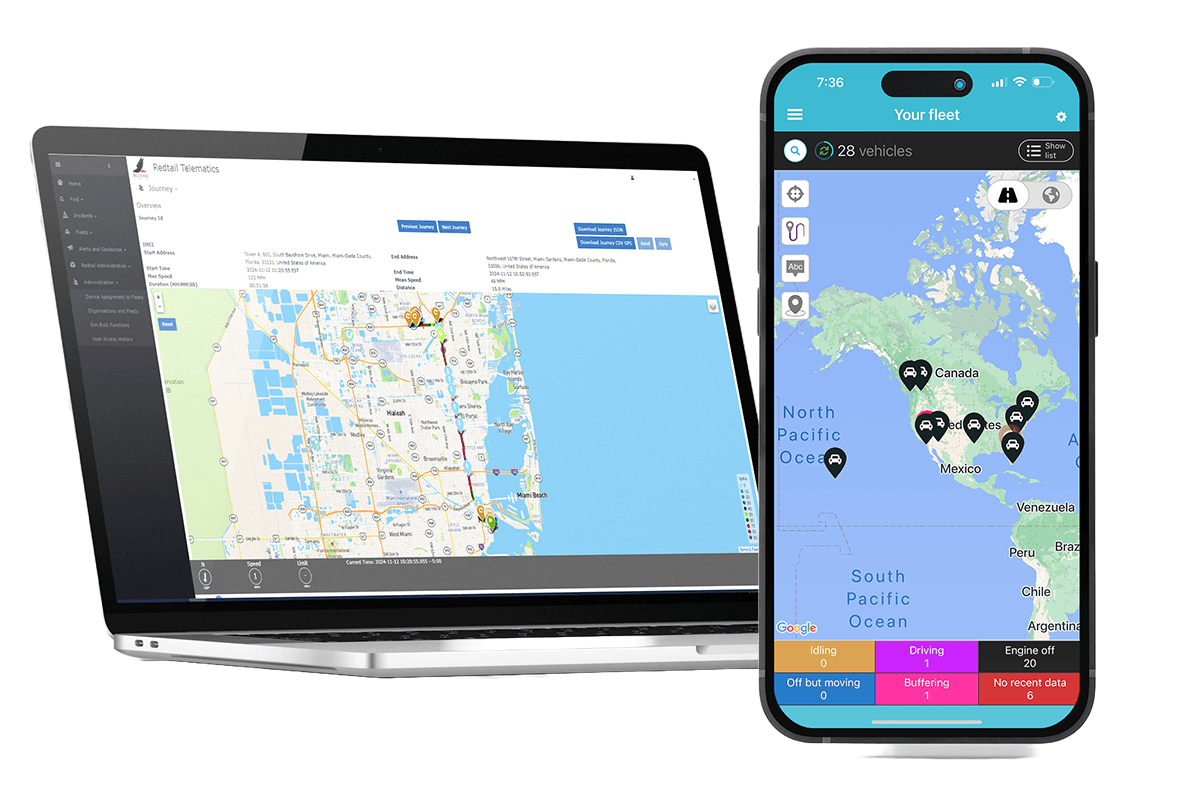
The web platform carries the full fleet workspace. Redtail Fleet and Redtail Installer provide focused mobile tools for managers and field installers.
For fleet teams
The Redtail Fleet App keeps the map close
Review fleet position and status, follow recent trails, focus on one vehicle and move into past journeys from the Redtail Fleet App.
- See fleet positions and vehicle direction
- Follow recent trails and open past journeys
- Filter vehicles by driving, idling or engine-off status
- Review vehicles by name, activity or last update
- Focus on one vehicle without returning to the office
- Arm location monitoring and receive movement alerts
- View and set vehicle mileage
- Review vehicle and device battery status
For installers
Redtail Installer App
Support professional fitting and setup of Redtail devices with the Redtail Installer App. Confirm vehicle compatibility and installation requirements with our team before deployment.
- Fit Redtail devices using the appropriate installation guidance
- Prepare vehicles for device setup and activation
- Confirm fitting requirements with Redtail support
Access + oversight
Keep the right information with the right teams
Redtail also includes fleet and organisation controls, user access configuration and activity history so product context stays with the teams that need it.
Fleet structure
Organise visibility around fleets and organisations.
User access
Align account access with the people using the platform.
Focused apps
Give fleet teams and installers purpose-built entry points.
Redtail's Quality Management System is ISO 9001 certified, and its Information Security Management System is ISO 27001 certified. These systems support the quality of our products and services and the protection of customer information.
See Redtail with your own fleet questions
Bring your next fleet decision to a live demo.
Walk through fleet status, journeys, behaviour, alerts, maintenance, reports, location intelligence and mobile access with your operating model in mind.